Get class reminders
Public class updates
Section titled “Public class updates”You can follow all public live classes or ask for a reminder about one class.
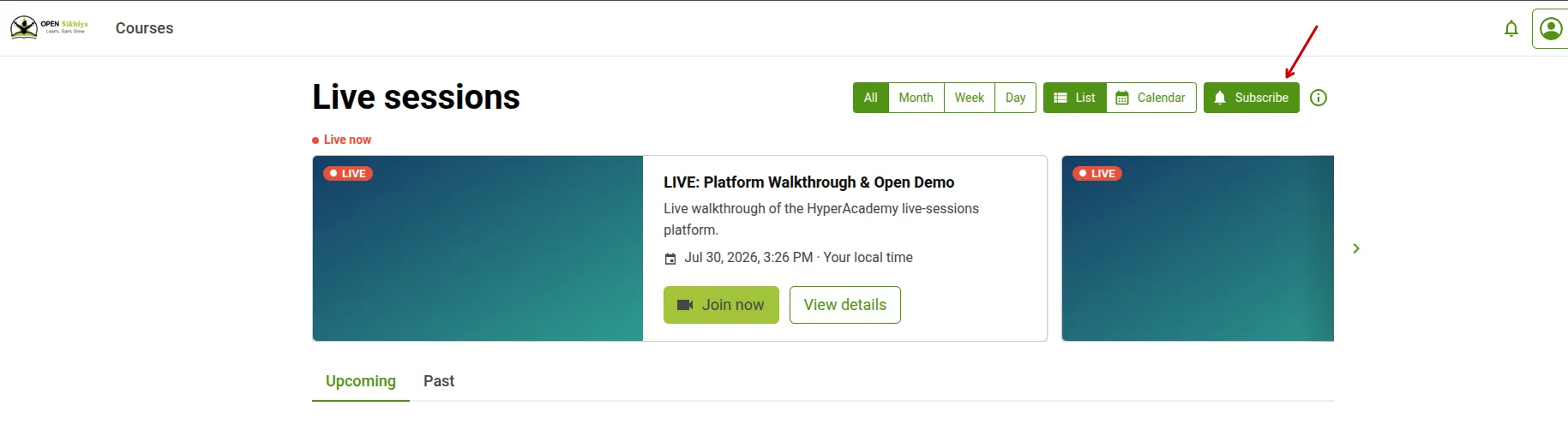
On the Live sessions page, Subscribe signs you up for news about upcoming public live classes on the platform. Once it is on, the button reads Subscribed.
On a single public class, Remind me asks for updates about that class only. Once it is on, the button reads Reminder set.
Both let you pick how to be notified under Notify me by. The channels offered depend on what the platform has enabled. You can turn either choice off at any time.
You do not need to subscribe to classes that belong to your courses. You will receive any reminders your instructor sends for those classes.
Open Account → Mobile and WhatsApp.
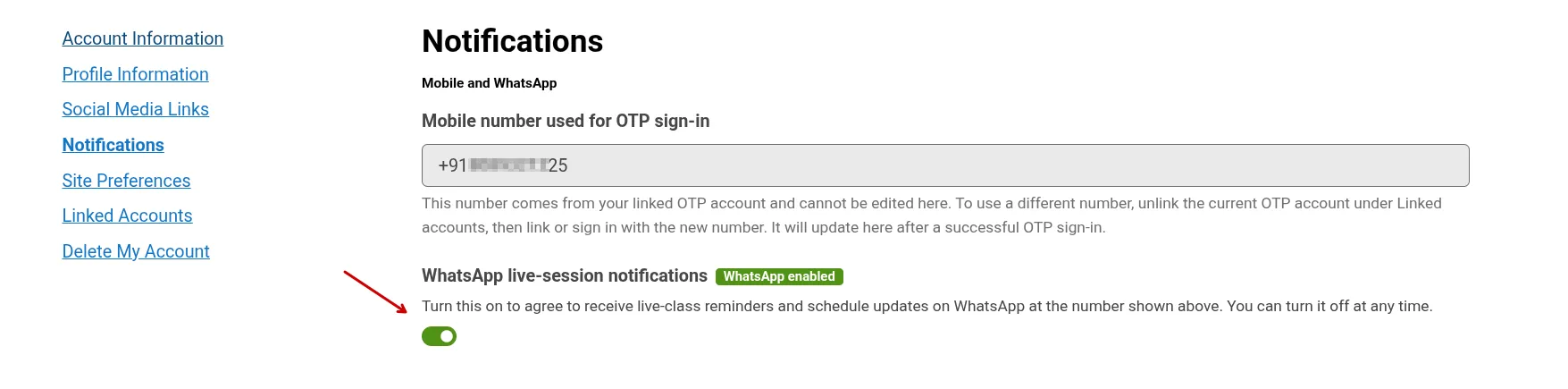
The phone number you use to sign in is shown here. Turn on WhatsApp live-session notifications if you want live-class reminders and schedule updates sent to that number. You can turn this off at any time.
If your account does not have a sign-in number, WhatsApp cannot be enabled. Web, email and app notifications may still be available.
Changing your number
Section titled “Changing your number”To use a different number, open Linked accounts, unlink the current phone account, then sign in with the new number. The new number appears here after you sign in successfully.
Your WhatsApp choice applies only to the number shown when you made it. If the number changes, turn WhatsApp notifications on again for the new number.
Website and app notifications
Section titled “Website and app notifications”Web updates appear under the notification bell, on its Live sessions tab.
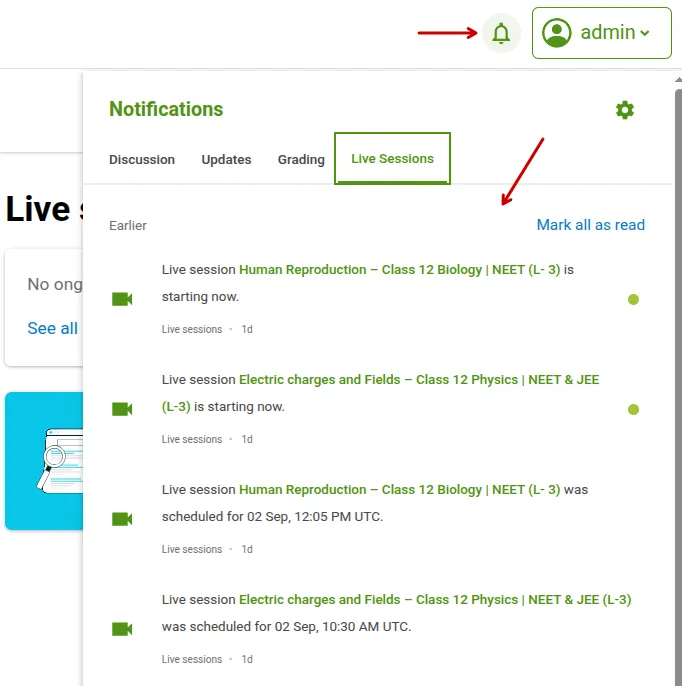
App updates appear in Notifications and may also appear in your device’s notification tray. To receive them, stay signed in and allow notifications in your device settings. Selecting a supported notification opens the related course or live class in the app.