Find and join a live class
Find your classes
Section titled “Find your classes”On the website, select Live sessions in the platform header or See all live sessions from your dashboard.
In the mobile app, open Schedule. A class that is already running also appears at the top of Home. Select any class to open its details.

On the website, Upcoming shows what is next and Past shows completed classes. You can see either as a list or a calendar. In the mobile app, Schedule offers upcoming, week and month views, with older classes under Finished.
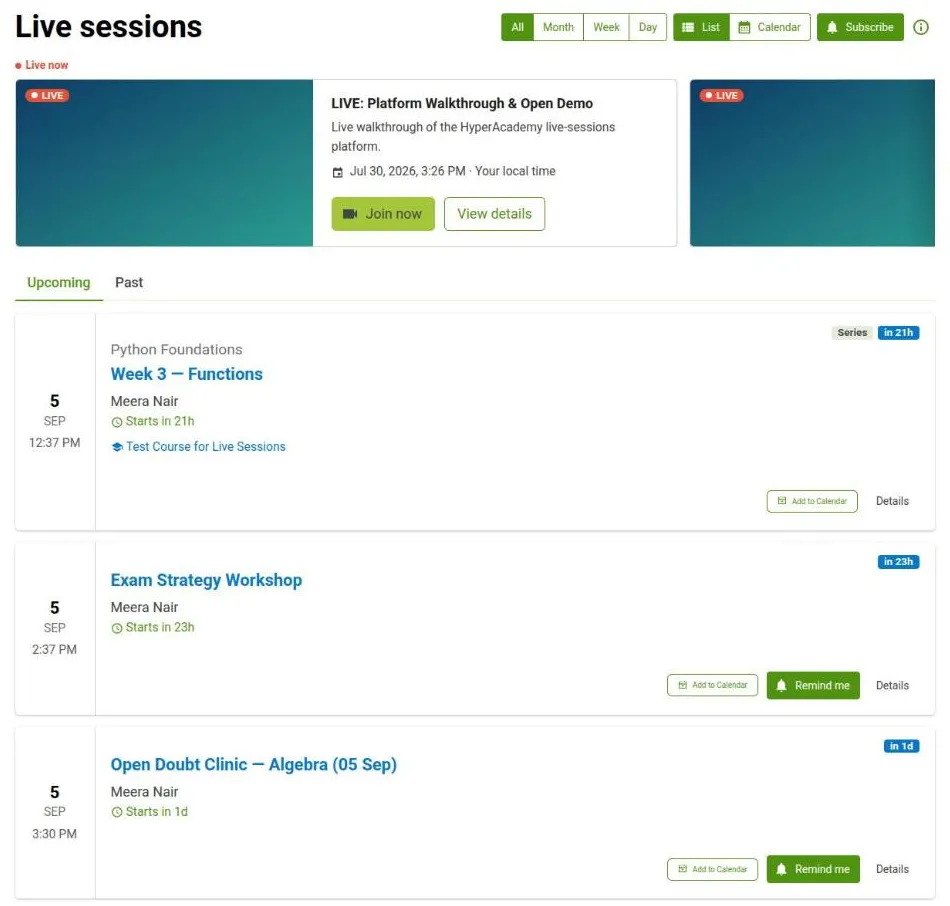
Each class shows a badge telling you where it stands: a countdown until it starts, Live while it is running, or Cancelled. After a class ends the badge becomes Attended or Missed where that is known, and Ended otherwise.
If a class is not listed, it may belong to another course or group, be private, be cancelled, or not be available to your account yet.
Select a class to open it. The details show the host, any related courses and a countdown before it starts.
Join now appears when the class opens for joining, shortly before its scheduled start. Until then the page shows the countdown instead.
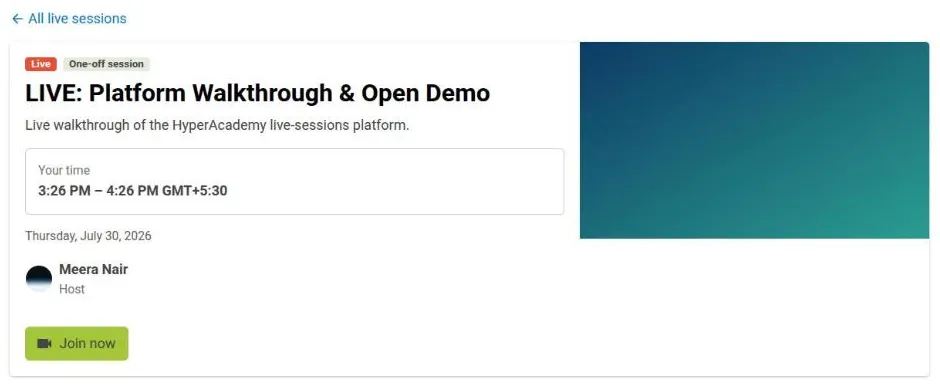
Times are shown in your own timezone. Where the class was scheduled in a different one, you can see both your time and the host time.
You can Add to calendar before a class. This adds the date to your chosen calendar; it does not enroll you. Return to Open Sikhiya when it is time to join.
Classes in a series
Section titled “Classes in a series”A recurring class shows the whole series, with Up next in series pointing at the next session. Open the series overview to see every session and its own state.