Manage a live class
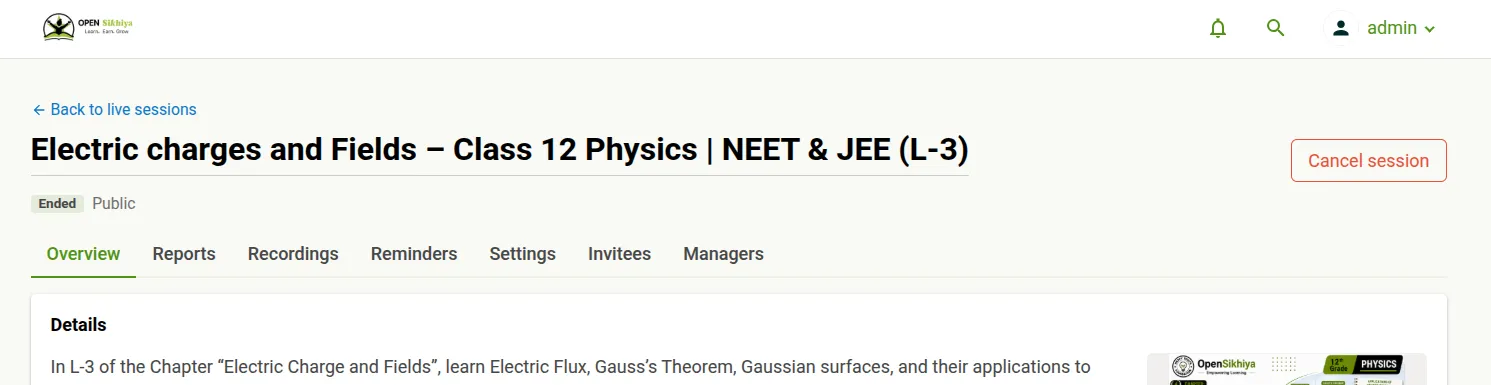
Open Studio → Live sessions, then choose a class. The class page shows its current status, the actions available right now, and seven tabs.
Status
Section titled “Status”A badge next to the title shows where the class is: Draft, Scheduled, Live, Ended, Cancelled or Failed. Occurrences of a recurring series carry their own badge, so a series can have ended runs and scheduled ones at the same time.
Header actions
Section titled “Header actions”- Start opens the room as host in a new tab. It appears only for the assigned host — if someone else is the host, the button explains that and points you to the Managers tab.
- Join appears while a class is live if you are staff but not the host. It lets you co-run the room; your presence counts as staff, not as learner attendance.
- Cancel session cancels the whole class, including every remaining occurrence.
- Overview shows the class details and every occurrence.
- Reports covers attendance, engagement and polls.
- Recordings follows each recording and controls publication.
- Reminders sets automatic reminders and shows delivery activity.
- Settings updates the title, description, audience, card image and meeting options.
- Invitees adds learners by username or email and supports CSV import/export.
- Managers shares management of the class and reassigns the host.
Reports, recordings and reminders each have their own guide — see Reminders and delivery activity and Reports and recordings.
Change a single occurrence
Section titled “Change a single occurrence”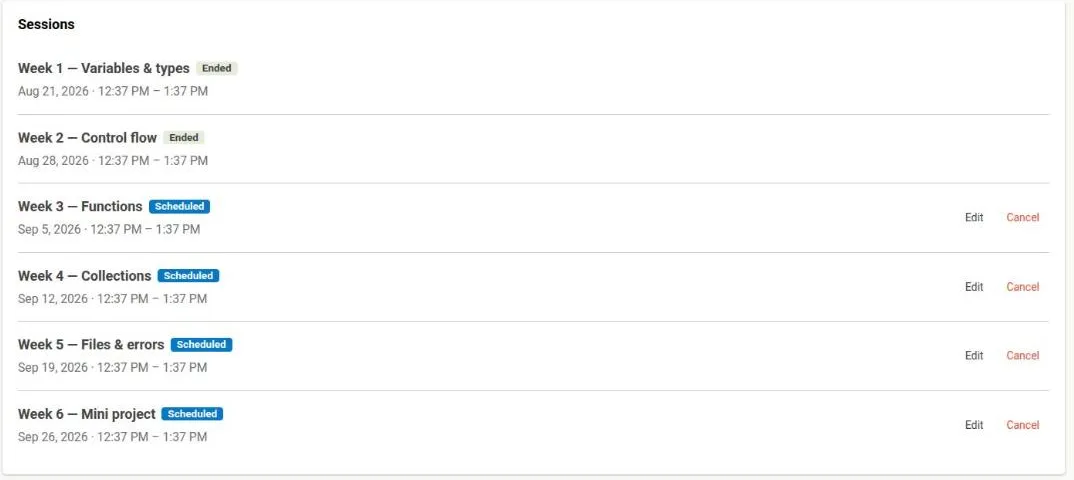
On Overview, an Edit and a Cancel action appear on each occurrence that is still scheduled. Occurrences that have already run, or that were cancelled, have no actions.
Cancelling preserves reports and delivery history.
Invite people
Section titled “Invite people”The Invitees tab adds people on top of the class audience. When the number invited is larger than the Zoom plan’s capacity, the page says so: everyone can still be invited, but not everyone may get in if they all join at once.
Hand over the host role
Section titled “Hand over the host role”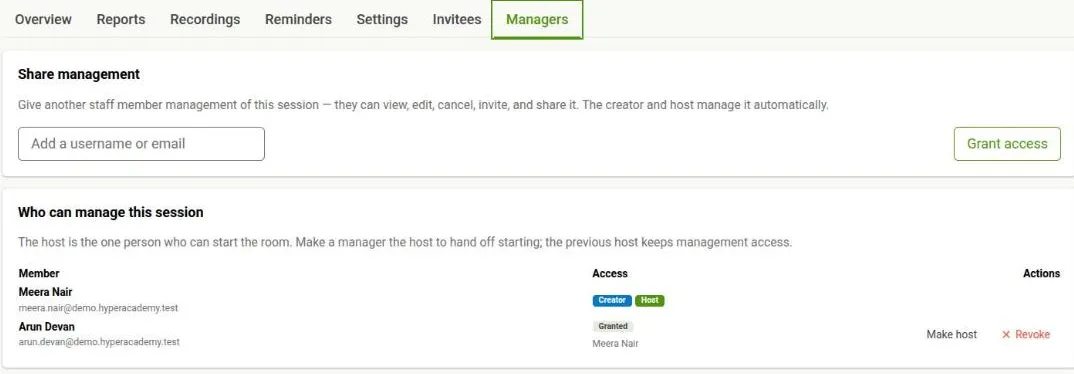
The host is the one person who can start the room. On Managers, add another staff member so they can view, edit, cancel, invite and share the class, then use Make host to hand over starting. The previous host keeps management access. The creator and the host are managers automatically.
What cannot change
Section titled “What cannot change”The host, schedule, recurrence pattern and Zoom account are fixed after creation. Change individual dates from Overview, and hand over the host role from Managers. The Zoom host seat is assigned automatically at scheduling to keep the class within the plan’s concurrency limit.