Reminder policies
Instructors and learners can only pick from what you enable here. All of it is in the Live Sessions section of Django administration.
Reminder timing policies
Section titled “Reminder timing policies”Each policy is one reminder offset an instructor can choose — one day, one hour, five minutes before.
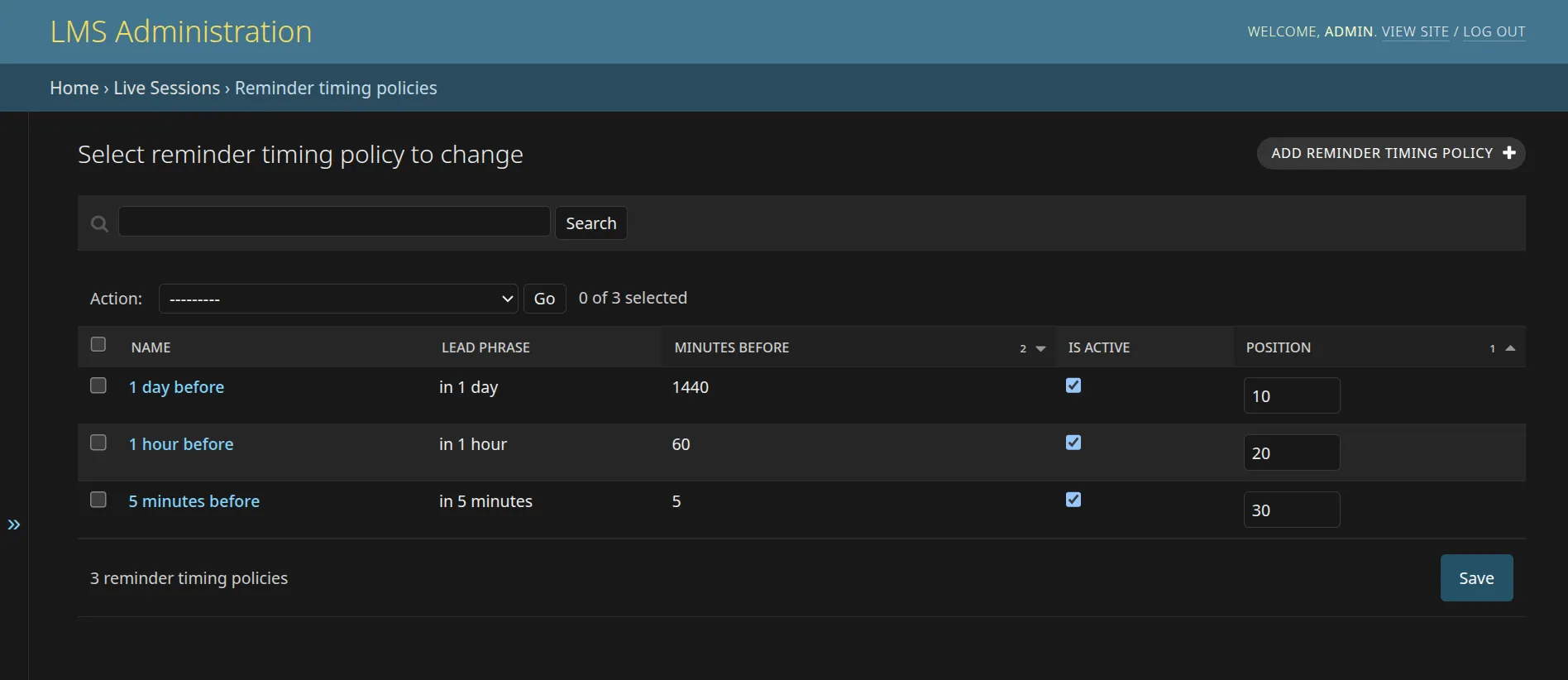
A policy has a name, the minutes before the class it fires, a lead phrase used in the message wording (such as in 1 hour), an active flag and a position that controls the order instructors see.
Retire a policy rather than changing its offset. Instructors select the policy, not a copy of it, so editing the offset would silently reschedule reminders on classes that already use it. Deactivate the old one and add a new one when the meaning changes.
Reminder channel policies
Section titled “Reminder channel policies”One record per delivery channel, with three flags that work together:
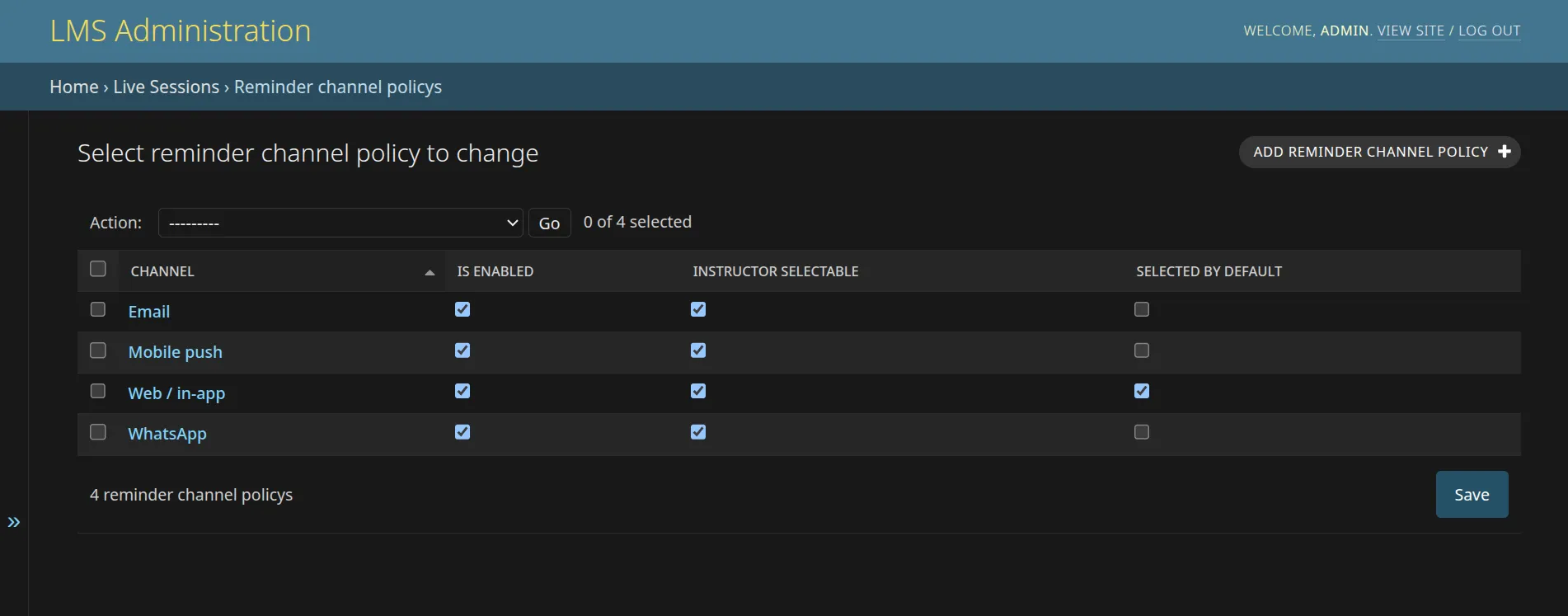
- Is enabled — the global switch. A disabled channel cannot be selected or saved anywhere.
- Instructor selectable — shows the enabled channel as a choice on the instructor Reminders tab.
- Selected by default — starts checked for instructors, who can still uncheck it.
A default channel must also be enabled and instructor-selectable; the form rejects any other combination.
Manual reminder policy
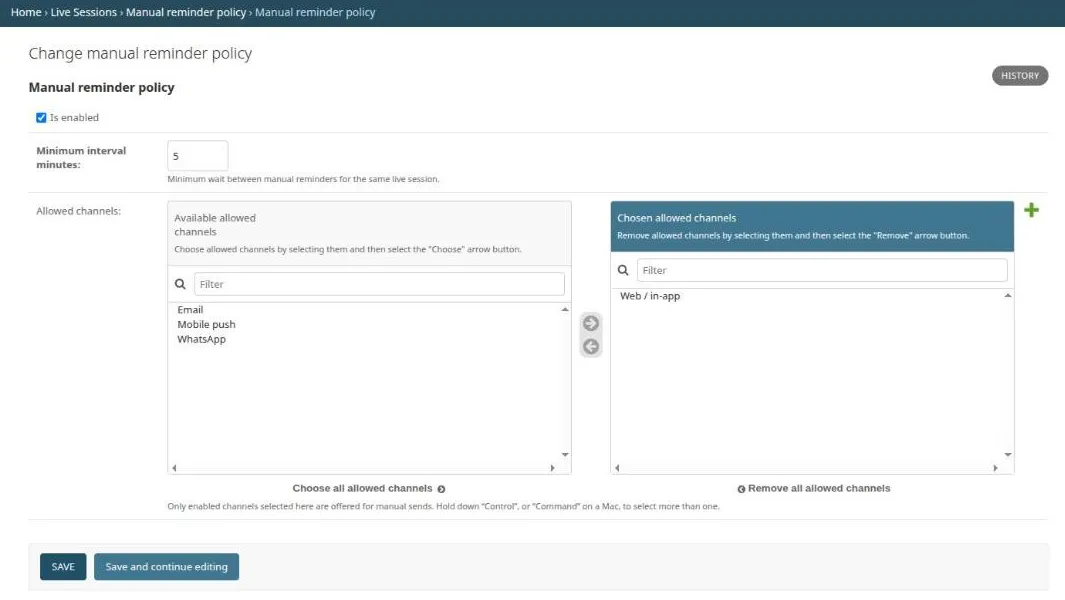
Section titled “Manual reminder policy”A single record governing Send reminder now: whether it is available at all, the minimum interval between manual sends for the same class (five minutes by default), and which channels manual sends may use. Only channels that are already enabled count.
Public live-session notification policy
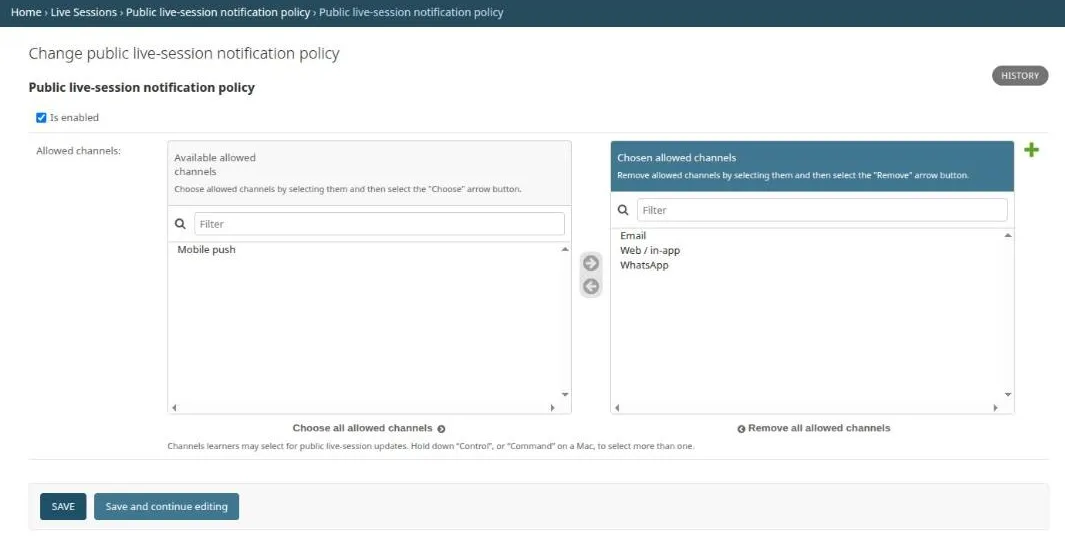
Section titled “Public live-session notification policy”A single record bounding what learners may opt into for public classes — whether public notifications are on, and which channels learners can choose for Subscribe and Remind me.
Reminder message templates
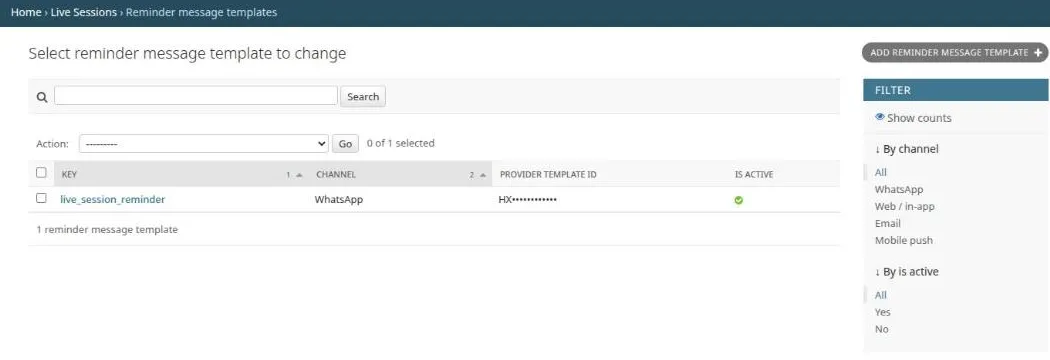
Section titled “Reminder message templates”Each record connects one type of live-class update to the approved message for a delivery channel. For WhatsApp, use the approved template identifier supplied by the operations team. Add and activate the required messages before making a channel available to instructors or learners.