Make live classes available
Everything on this page lives in the Live Sessions section of Django administration.
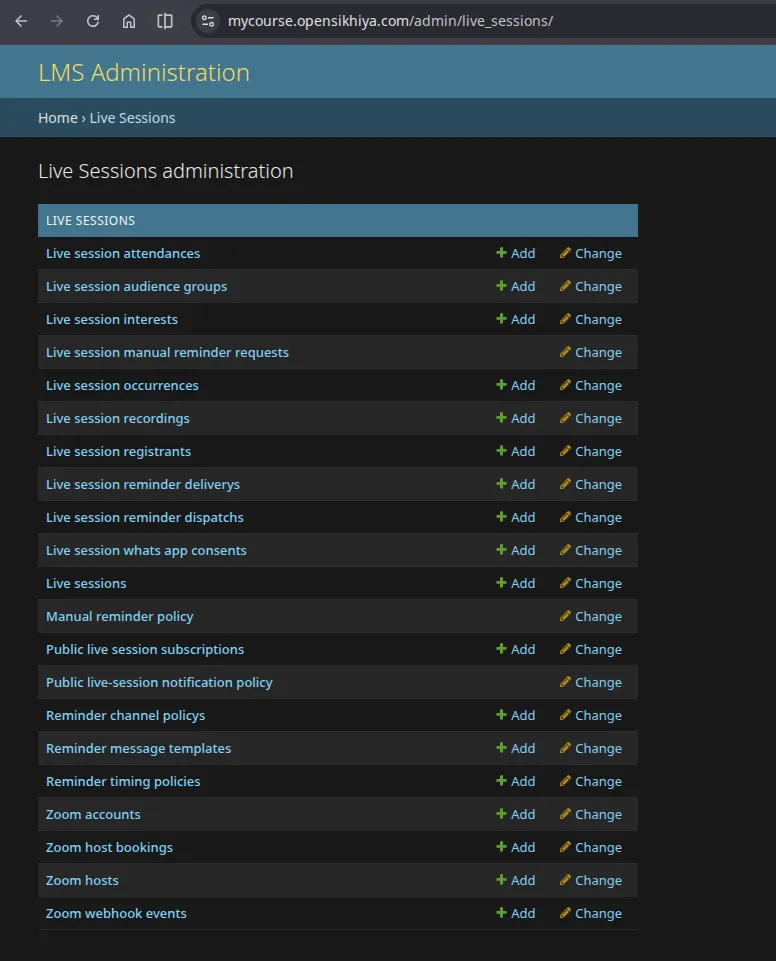
Zoom accounts
Section titled “Zoom accounts”Confirm at least one Zoom account is active. One account should be marked as the default.
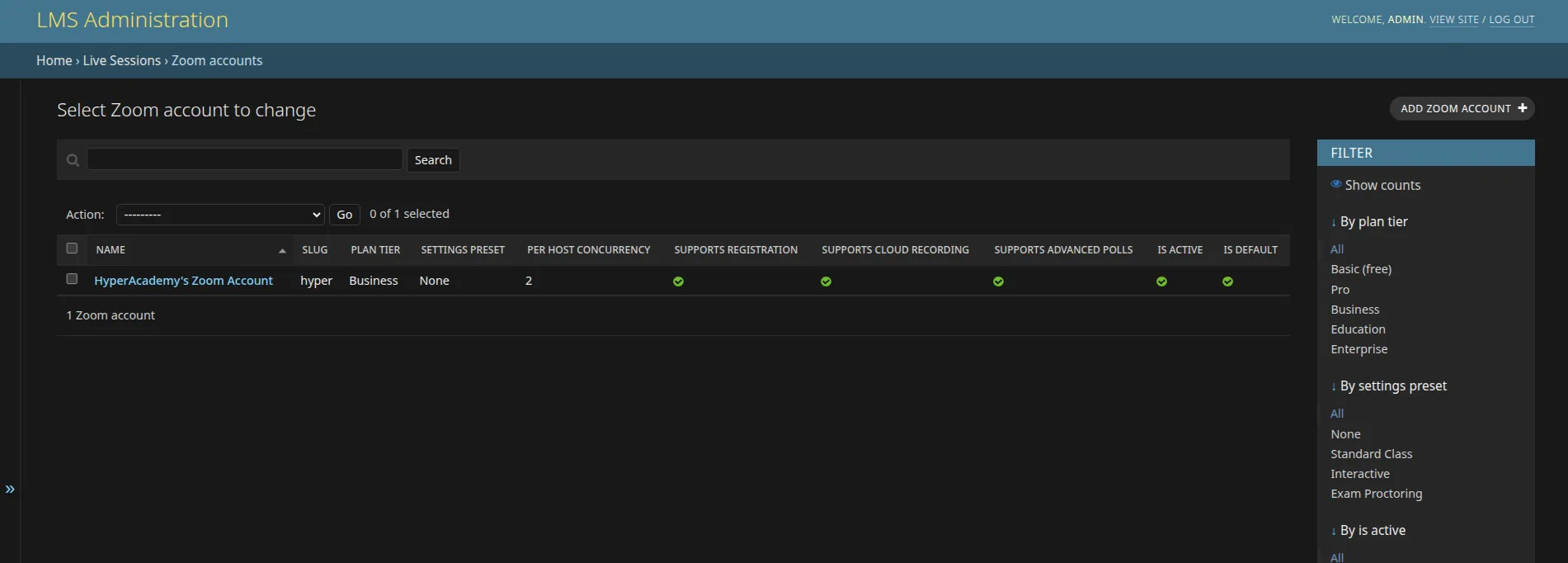
The account record also states what its Zoom plan can actually do, and these flags shape what instructors are offered when scheduling:
| Setting | Effect when off or low |
|---|---|
| Supports cloud recording | Instructors are warned that nothing will be recorded; local recording only |
| Supports registration | The registration option is ignored, and participant identity falls back to other matching |
| Supports advanced polls | Only single and multiple choice poll types are offered |
| Participant cap | Instructors see a capacity warning when the audience is larger |
| Per-host concurrency | How many meetings one licensed user can host at once |
Set these to match the plan you actually own. Claiming a capability the plan does not have produces failures at class time rather than a clear warning while scheduling.
Host seats
Section titled “Host seats”Each Zoom host is a licensed Zoom user that can run meetings. Confirm the enabled seats match the licences the organization holds.
A seat’s concurrency is derived from its licence type and the account plan unless you set it explicitly. A host may be owned by a specific platform user, or left blank to act as a shared pool host.
Host allocation is automatic: when an instructor schedules a class, a free seat is reserved for that time. Too few seats shows up as no host is free at this time in the scheduling form.
Who can create classes
Section titled “Who can create classes”Grant the live-session management role only to staff who should be able to create classes. Instructors can share an individual class with other staff, and hand over the host role, without anyone holding platform-wide access.
Keep out of user-facing notes
Section titled “Keep out of user-facing notes”API credentials, secret tokens, SDK client IDs, webhook secrets and deployment settings are maintained by the operations team in the private runbook.